Managing Projects
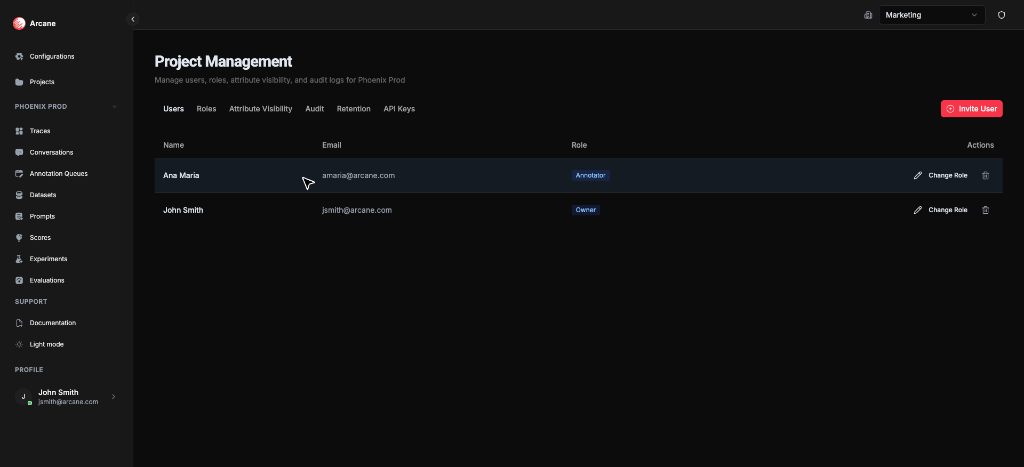
The Manage Project page lets you control API keys and access project-level settings for users, roles, attribute visibility, retention, and audit logs. Open it by clicking Manage on a project card in the Projects Dashboard.
What it is
Manage Project gives you access to project-level settings. Use it to:
- Manage API keys — Create, regenerate, or revoke API keys for programmatic access
- Access project settings — Open tabs for users, roles, attribute visibility, retention, and audit logs
Tabs
The page has six tabs, each linking to detailed documentation:
| Tab | Purpose | Learn More |
|---|---|---|
| Users | Invite users and manage project membership | See Managing Users |
| Roles | Create and manage project roles | See RBAC |
| Attribute Visibility | Control which span attributes are hidden from which roles | See Attribute Visibility |
| Audit | Review project-level change history | See Audit |
| Retention | Configure data retention settings | See Data Retention |
| API Keys | Manage API keys for programmatic access | See "API Keys" section below |
API Keys
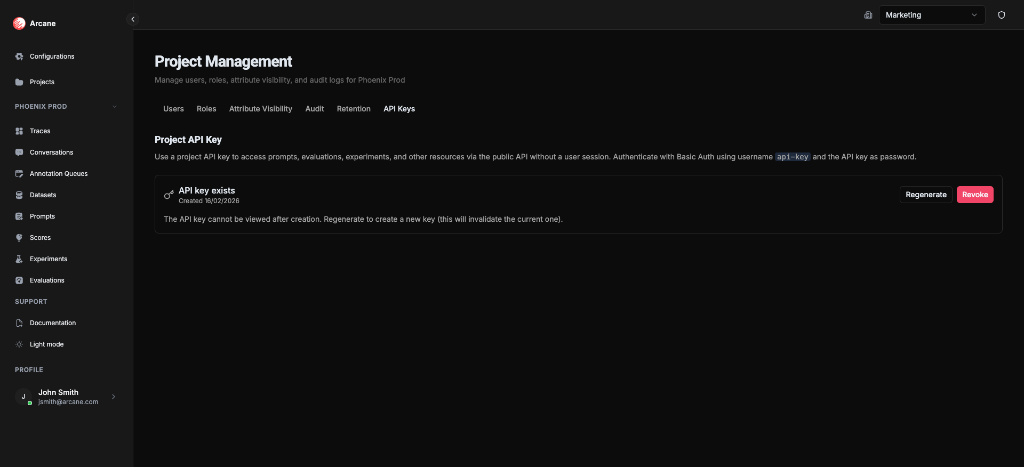
Manage API keys for programmatic access to project resources. Use a project API key to access prompts, evaluations, experiments, and other resources via the public API without a user session.
What you see
- Project API Key status — Shows whether a key exists and when it was created
- Regenerate — Button to replace the current key (old key stops working)
- Revoke — Button to remove the key entirely
Using API keys
Authenticate with Basic Auth using:
- Username:
api-key - Password: The API key value
Important: The API key cannot be viewed after creation. If you lose it, regenerate a new key (this will invalidate the current one).
Managing API keys
- Create — Click Generate to create a new API key
- Regenerate — Click Regenerate to replace the current key with a new one. The old key stops working immediately
- Revoke — Click Revoke to remove the key entirely
Tip: You can also manage API keys from the Projects Dashboard by clicking API Key on a project card. The API Keys tab here shows the same management in context.
Prerequisites
- Project access — You must be a member of the project
- Project Admin role — Most actions require Project Admin permissions
Related
- Projects Dashboard — Create projects, view, manage, edit, and delete
- Managing Users — Learn about managing project users
- RBAC — Learn about roles and permissions
- Attribute Visibility — Learn about attribute visibility
- Audit — Learn about audit logging
- Data Retention — Learn about data retention settings